
You can create a database in Plesk by following this tutorial.
1. Log in to your Plesk account.
2. Click on Databases from the Sidebar Menu.
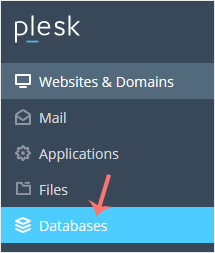
3. Click on Add Database.

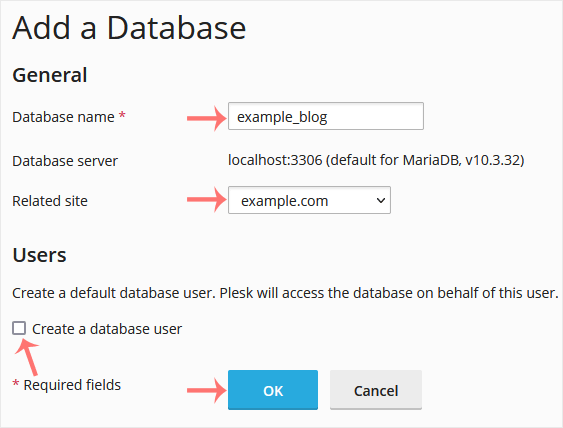
4. Under Add a Database, fill in the following details:
Database Name: Your database name, such as blog.
Related Site: Choose an appropriate website from the drop-down menu.
Users: Uncheck Create a database user, and confirm with OK.
A success message will be displayed, indicating that your database has been created.
İlgili diğer dökümanlar
How to Delete a Database in Plesk
1. Log in to your Plesk account. 2. Click on Databases from the...
How to Download a Dump of a Database in Plesk
You can generate a backup of your database and download it to your...
How to Create a New Database User in Plesk
1. Log in to your Plesk account. 2. Click on Databases from the...
How to Remove a Database User in Plesk
1. Log in to your Plesk account. 2. Click on Databases from the...