
You can find the Control Panel URL, Username and Password in your VPS welcome email.
Virtualizor Login details example:
Control Panel URL: https://cp.example.com:4083 or with the IP Address.
Username: Your email address.
Password: example.
How to log in to Virtualizor Control Panel?
1. Open VPS Control Panel.
2. Enter your Virtualizer username and password.
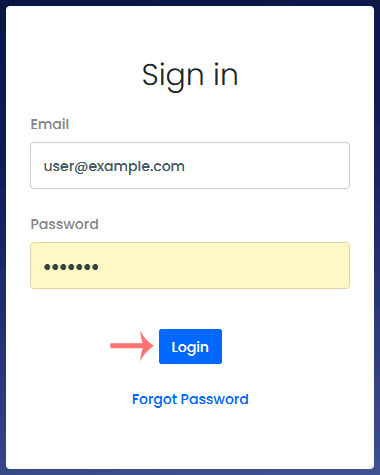
Click on Login, and you will be redirected to the Virtualizor VPS management area.
İlgili diğer dökümanlar
How to Check Whether the VPS Status is "online" or "offline" in Virtualizor
Do you want to check your Virtualizor VPS status and determine whether the...
How to Change the Password of Your Virtualizor Account
If you can access your Virtualizor VPS control panel, you can easily...
How to Check VPS RAM, IP, Disk Capacity, and the Virtualization Details in Virtualizor
You can check VPS specifications such as RAM, disk space, virtualization,...